 If you’ve been blogging or creating podcasts since the Web 2.0 era, you likely know what FeedBurner is. Acquired by Google in 2007, FeedBurner became the de facto standard for RSS feed management, analytics, and monetization. In 2026, while Google has moved the service to a more stable, modern infrastructure and deprecated its email subscription feature, FeedBurner remains a powerful tool for tracking blog visits, managing subscribers, and inserting targeted ads into your RSS feeds.
I rank Google FeedBurner among the top 10 essential tools for modern bloggers and podcast creators in 2026. You can still integrate your Adsense ads directly into your FeedBurner-managed feeds—a key feature for content monetization.
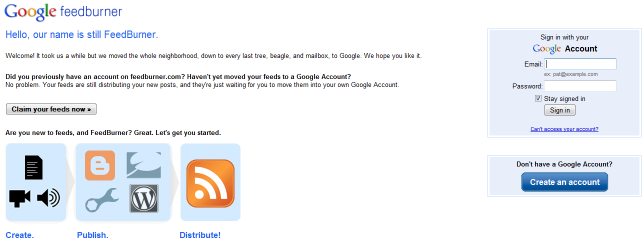
To access your dashboard, visit http://feedburner.google.com and sign in. You’ll see a page similar to the one shown above.
How do you find your FeedBurner address?
This is straightforward: when you “burn” your feed, you choose a custom FeedBurner address. It typically looks like http://feeds.feedburner.com/myfeedaddress, where “myfeedaddress” is the unique string you selected during setup.

Where is my FeedBurner ID?
This is slightly more involved but still easy to locate. First, go to the FeedBurner homepage and click “Sign In.”

Where is my FeedBurner RSS Title?
After logging in, you’ll land on a dashboard that displays your feed details, including your RSS title. The interface looks like this:
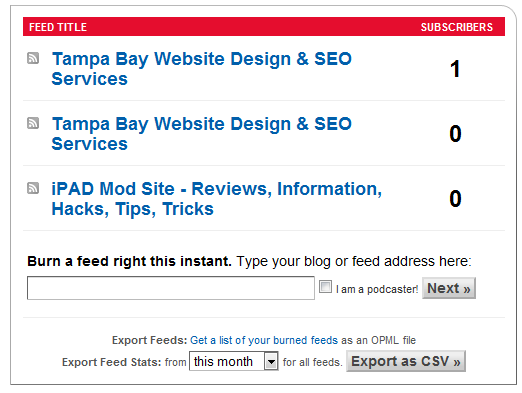
Your FeedBurner RSS titles are clearly visible here. While you may rarely need them, knowing where to find them is helpful for feed configuration.
If you’d like to see how an RSS feed looks after applying Google FeedBurner, check out my FeedBurner link.
It’s also recommended to add clickable FeedBurner icons to your website, which link to your FeedBurner address and enhance feed subscription visibility.


Note for 2026 users: As of July 2021, Google deprecated FeedBurner’s email subscription service. If you’re migrating subscribers, export your CSV from FeedBurner before the cutoff and import them into modern platforms like Kit or Mailchimp. All core feed management, analytics, and ad insertion features remain fully operational in 2026.