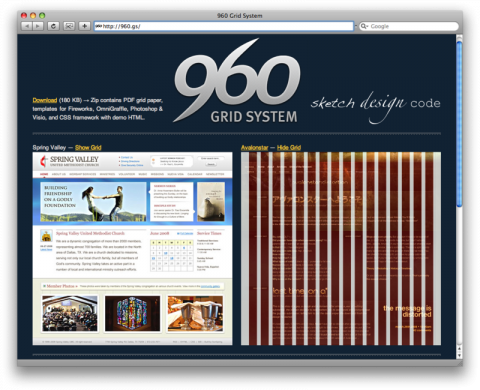
A lot of professionals ask me where is the best place to start with Website Design in 2026? I tell them to check out the 960 Grid System. It is a timeless development workflow system that allows website designers an easy blueprint for web development with a foundational width of 960 pixels. Even as responsive design dominates, understanding the 960 Grid helps create clean, organized UIs [9]. There are two main variants of the 960 grid system: 12 and 16 columns, which you can use separately or in tandem [1][5].
Step 1: Create a new document in Photoshop (or Modern Design Tool)
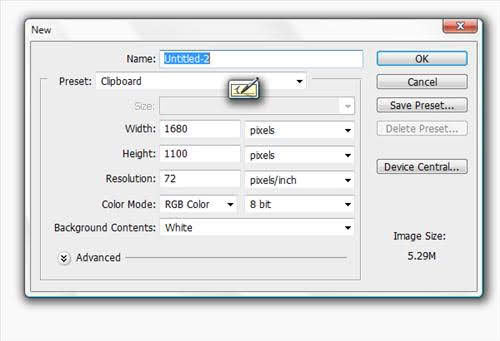
You will want to open Photoshop (or a modern equivalent like Figma or Adobe XD) and set a working width of 1680px and a height of 1100px to accommodate 960px content plus margins, then fill the background with #F9F9F9, a light grey color, to mimic a neutral canvas [1].
Step 2: Adding the Grid to your Design Document
Although we are discussing the 960 Grid System by Nathan Smith, it should be noted there are other grid systems you can use in Web Design today, such as CSS Grid or Flexbox. However, the 960 Grid System remains a powerful mental model for rapid prototyping and consistent layouts [1]. Search for “Web Design Grid System” to find modern alternatives, but note that the 960 Grid is widely used, simple, and fits most screens effectively (15″ and above) [5]. Plus, you can easily switch to a fluid width web site and adapt to 25″ and larger screens by using the 960px as a central anchor [2].
By now you should know that you need to Download the 960 Grid System [5]. Once you download the file, extract it and open the “Templates” folder. Open the 960 12-column grid in your design tool [1].
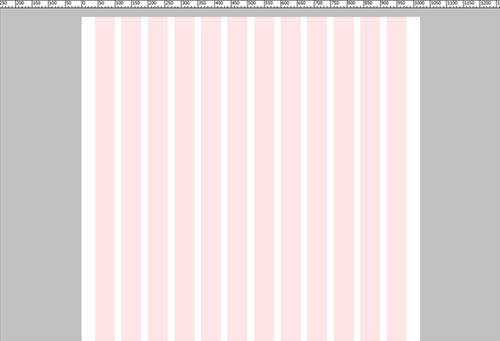
The next step is to insert the grid into the document you have created. Select the “12 col Grid” group, merge, then copy and paste it into the main document. Alternatively, you can skip the merging step and just edit the template file directly. Keep in mind, any changes you make will be saved to the “templates” folder within the archive you extracted [1].

The next step is to create a baseline grid. This helps with spacing elements and line-height consistency. Start with a new document of 24px by 24px, delete the background, and draw a 1px line along the bottom. Define this as a pattern by using: EDIT > Define Pattern and give it a memorable name [1].
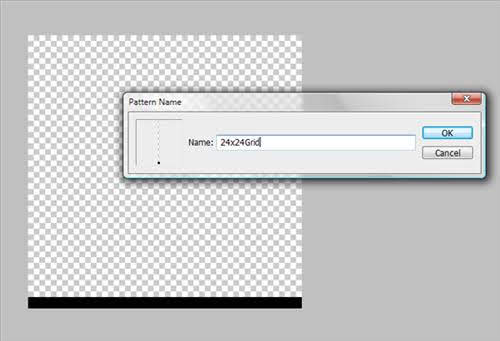
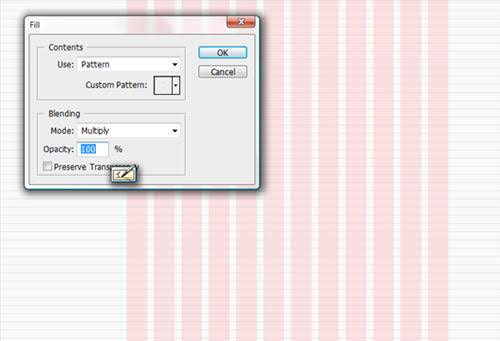
Okay, create a new layer, then fill the layer with the pattern using Edit > Fill. This becomes your baseline grid [1].
Now mark out your working area using guides. Create a new view guide via View > New Guide, select vertical, and set guides at 360px, 840px, and 1320px. This ensures a 960px working area between 360px and 1320px, with a central line at 840px [1].
Save as a Template
Now that you have created your template, save it for reuse. This setup keeps your web design project simple and allows you to adjust the canvas height as needed [1].
Step 3: Starting the Design
Look for the next post in this 3-part series. I will provide the links when I finish writing the rest!
Info on the 960 Grid System
The 12-column grid is divided into 60-pixel portions, and the 16-column grid uses 40-pixel portions [3].
Each column has a 10px margin on the left and right, creating 20px gutters between columns [1][7]. The purpose of the 960 grid system is to provide a quick, standardized development environment for web developers [5]. The CSS is pre-written, and there are many templates to work from. Many large web companies continue to use the 960 grid system to
design their websites because it ensures clean, organized UIs [1][9].